Great digital Mississippi project
My son loves computers, so of course he chose to do his Mississippi project all digitally. I got this for him to keep him on track with his presentation and it worked really well. I would recommend this to a friend.




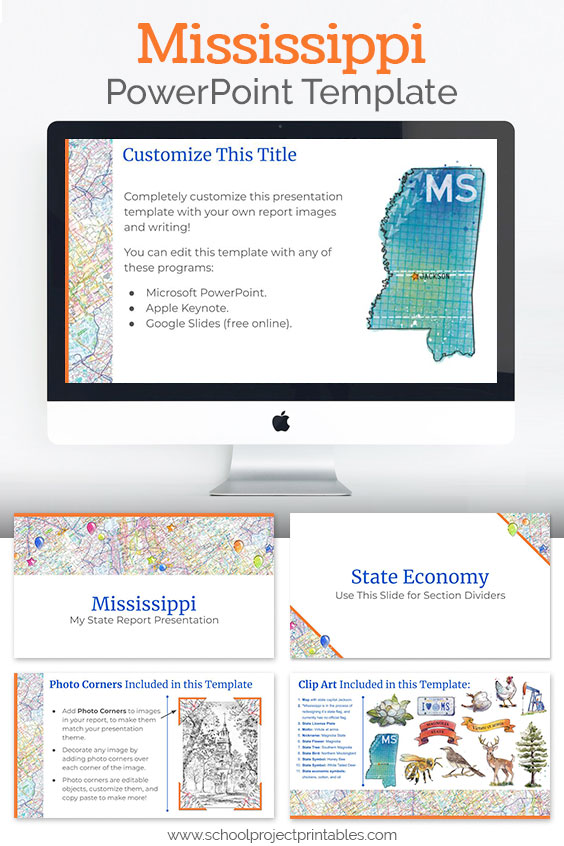
What it is: This is a digital download of a Powerpoint file (.pptx) with Mississippi themed graphics and clip art. The file can also be opened in Google Slides, and Apple Keynote.
Getting your file: You will be provided with a link to download the PowerPoint file immediately after purchase, on the order confirmation page. A download link will also be emailed to you, immediately and automatically at the email you provide during checkout.
Using your file: The PowerPoint template file can be opened using PowerPoint, Apple Keynote, or Google Slides. Google Slides is free to use with a Google account, just upload the file to your Google drive.
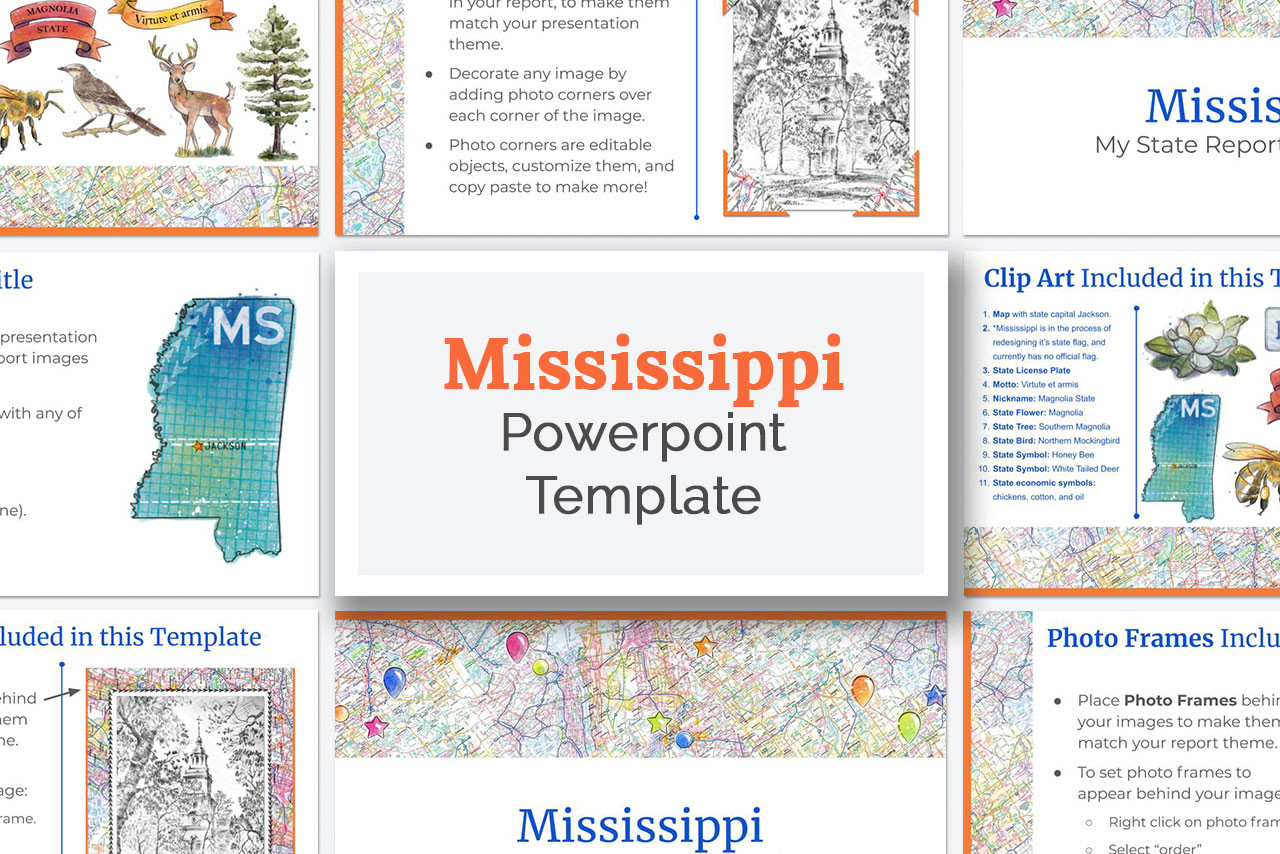
Template Includes Everything You Need: Easily customize the slides with your report information, and use the clip art to add interest and color. The template includes title pages, section divider pages, pages for writing paragraphs and bullet points, decorative graphics to add to images, and more. All of the graphics and clip art are state report themed, featuring a colorful "road map" pattern, and Mississippi clip art. Perfect for school reports on the state of Mississippi.
Mississippi Clip Art included with the Powerpoint template:
Mississippi State Map, with state capital Jackson marked
Mississippi State Flag
Mississippi State License Plate
Mississippi State Motto: Virtute et armis
Mississippi State Nickname: Magnolia State
Mississippi State Flower: Magnolia
Mississippi State Tree: Southern Magnolia
Mississippi State Bird: Northern Mockingbird
Mississippi State Symbol: Honey Bee
Mississippi State Symbol: White Tailed Deer
Symbols for some of Mississippi ’s most important economic sectors and exports: chickens, cotton, and oil
* Please note that the fonts shown in the images are Google fonts, if you use keynote or powerpoint, your computer will substitute a similar looking font.
My son loves computers, so of course he chose to do his Mississippi project all digitally. I got this for him to keep him on track with his presentation and it worked really well. I would recommend this to a friend.
This was really helpful for my youngest son's Mississippi presentation. Together we made an outline and he worked independently on it from there. His project came out really good!